

Enterprise PDF tools are essential for businesses that rely on PDFs for documentation, reporting, contracts, and more, offering a range of features tailored to meet the needs of large organizations.


LynxPDF Key Features
When evaluating enterprise-grade PDF software, LynxPDF stands out for its robust feature set tailored to the needs of large organizations.
1. Document Management
Offers PDF editing and page organization tools that help teams prepare and organize business documents. LynxPDF for Web supports online document sharing and collaboration.
2. Editing and Customization Tools
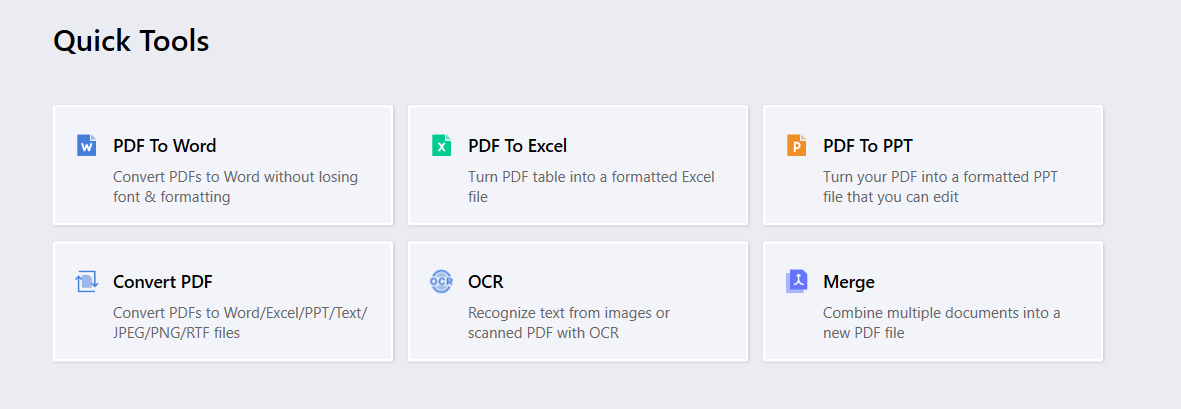
Provides advanced editing tools that allow for extensive modifications directly within the PDF, including multimedia integration and interactive elements.
3. Security and Compliance
Features AES-256 PDF encryption, passwords, and document permissions to protect sensitive information.
4. Enterprise Administration
Connects enterprise sign-in through SSO and provides centralized license, user, and team management through Admin Console.
5. User Interface and Usability
Known for its user-friendly interface, making it easy for employees at all technical levels to utilize its features effectively.
6. Support and Training
Provides extensive support and training resources, including online tutorials, live support, and onboarding sessions for new users
Product Advantages for Enterprise
- Add-on Value for Volume Licensing Program
Professional, secure, and all-in-one PDF solution for Enterprises -
On-premise Deployment
On-premise deployment of LynxPDF Admin Console lets organizations host their license, user, and team management service on their own servers. - Feature-rich
High document rendering speed allows a smooth editing and reading experience. Support digital signatures, sensitive content redaction, PDF comparison, OCR, file conversion etc. - Regulatory Compliance
LynxPDF’s PDF protection tools support GDPR-related document workflows, helping enterprises protect sensitive information. - SSO (Single Sign-on)
SSO allows users to access multiple applications within a system with a single set of credentials, eliminating re-entering account information such as username and password for each application. - Admin Console
Enjoy centralized and flexible license management with Admin Console. Assign, remove, and unbind licenses for team members. Easily create and manage teams and distribute license codes in bulk according to different departments. - Multiple Types of Installers
Users can choose from different installation packages in various formats to tailor their experience to their preferences. For example: msi, exe, pkg, dmg, etc. Contact us to get a pkg, msi, installer. - Data Security & Offline Freedom
Security is paramount with LynxPDF, safeguarding sensitive PDFs through encryption, passwords, and document permissions. Its desktop tools support editing local PDF files offline. - Customized Solutions
LynxPDF provides customized services and functions for enterprise users to meet your special business needs. Please contact us if you require specific customization.
 Jane Doe
Download LynxPDF
Ready to get started with our PDF editor? Download the latest version of LynxPDF for Windows or Mac down below:

 Admin Console
 Custom Business Stamps
 System Integration
 Digital Signatures
PDF-XChange Key Features
PDF-XChange Editor is a PDF tool for Windows, with editing, OCR, annotation, and security features for business documents.
1. Document Management
Focuses on providing detailed document tracking features, including version control and audit trails, which are crucial for compliance and monitoring.
2. Editing and Customization Tools
While it also offers comprehensive editing capabilities, it is particularly noted for its OCR (Optical Character Recognition) technology, enabling users to convert scanned documents into editable and searchable PDFs.
3. Security and Compliance
Ensures compliance with international standards such as GDPR and HIPAA, offering extensive security settings including digital signatures and watermarking.
4. Integration and Scalability
PDF-XChange offers an Editor SDK as a separate development product for embedding PDF editing in other applications.
5. User Interface and Usability
Offers customizable interfaces which can be tailored to match the specific workflows of different teams, improving productivity.
6. Support and Training
Also strong in support, with a focus on providing detailed documentation and responsive customer service.
LynxPDF vs. PDF-XChange
Both LynxPDF and PDF-XChange offer impressive speed and efficiency in handling PDF tasks, with each having its strengths in specific areas like batch processing or OCR capabilities. They manage system resources well, ensuring that users can continue with other tasks without significant performance degradation.
-
Performance Metrics for LynxPDF
LynxPDF is designed to be fast and efficient, particularly in handling large PDF files and complex document manipulations.
Performance tests often highlight its quick response times in opening and editing documents, with minimal lag even when working with documents that contain high-resolution images and extensive interactive elements. The software's efficiency is also evident in its batch processing capabilities, which allow for rapid handling of multiple files simultaneously. -
Performance Metrics for PDF-XChange
PDF-XChange is known for its high performance, especially in terms of rendering and manipulating PDF documents.
It consistently performs well in benchmark tests that measure the speed of opening files, searching text, and rendering graphics within documents. PDF-XChange’s OCR feature is particularly noted for its speed, efficiently converting scanned documents into searchable text without significant delays.
-
Analysis of System Resources Used by Each Tool
-
LynxPDF: Typically, LynxPDF requires a moderate amount of system resources. It is optimized to minimize RAM and CPU usage, which is beneficial for users who run multiple applications simultaneously. However, during tasks like batch processing or handling very large files, the resource usage can spike, which might temporarily affect multitasking performance.
-
PDF-XChange: PDF-XChange is also optimized for low resource consumption under normal operations. The tool is engineered to keep its footprint small, even when performing resource-intensive operations like high-volume OCR processing. This makes it suitable for older systems or environments with limited hardware capabilities.
-
-
Impact on Overall System Performance
-
LynxPDF: For most users, LynxPDF will not significantly impact system performance during typical PDF editing tasks. However, users operating on less powerful hardware might notice performance dips during high-demand operations.
-
PDF-XChange: Similar to LynxPDF, PDF-XChange generally does not heavily impact system performance. Its ability to maintain functionality with minimal system resources makes it a good choice for businesses with diverse hardware environments.
-
Here’s a comparison table for LynxPDF and PDF-XChange:
| Feature | LynxPDF | PDF-XChange |
| User Interface | Clean, intuitive, and fully customizable interface | Customizable interface, optimized for Windows |
| Document Management | PDF page organization; online document sharing and collaboration through LynxPDF for Web | Strong version control and audit trails |
| Editing Tools | Advanced editing, multimedia, and interactive tools | Comprehensive editing, exceptional OCR capabilities |
| Security Features | AES-256 PDF encryption, passwords, and document permissions | 256-bit AES encryption, digital signatures |
| Integration Capabilities | Enterprise sign-in through SSO; centralized license and team management through Admin Console | Editor SDK available as a separate development product for embedding PDF editing |
| Operating System Compatibility | Worked well on Windows and Mac | Windows 10 and later |
| Performance | Efficient in batch processing, moderate resource use | High performance, low resource consumption |
| Best Use Cases | Enterprises needing PDF editing, batch processing, and centralized license management, including finance, healthcare, government, and legal teams | Environments with heavy OCR needs, Windows-centric systems |
Best Practices and Tips
Here`re some best practices and tips to help maximize the effectiveness of your PDF tools:
-
Editing:
-
Utilize the layers and grouping features in your PDF editor to keep changes organized and reversible. This allows you to make adjustments without permanently altering the original document structure.
-
Employ the comment and annotation tools for collaborative reviews, ensuring that all feedback is integrated and visible to everyone involved.
-
-
Security:
-
Always use the encryption features available in your PDF tool to protect sensitive information, especially when sending documents via email or other electronic means.
-
Implement digital signatures and timestamping to ensure the authenticity and integrity of documents, particularly legal contracts or official communications.
-
Tips for Optimizing Workflow and Productivity Using Each Tool:
-
Create custom toolbars or menus that include your most frequently used tools and features to save time.
-
Keep a backup copy before editing and save revised documents with clear filenames to distinguish versions.
-
Regularly update your PDF software to take advantage of improved features and security updates.
Common Issues Encountered by Users and How to Avoid Them:
-
File Corruption:
-
Save changes incrementally and avoid working directly on the original file to prevent corruption.
-
Use reliable and updated PDF software, as older or unsupported versions may not handle larger or more complex documents well.
-
-
Incompatibility Issues:
-
Ensure that the PDF documents comply with industry standards such as PDF/A for archival purposes to avoid compatibility issues across different viewers.
-
Test document features (like forms or embedded videos) across several platforms and devices to ensure functionality is maintained.
-
Recommendations for Maintaining Document Integrity and Compliance:
-
Regularly review access permissions and security settings on sensitive documents to ensure that only authorized individuals have access.
-
Keep document-handling records through your organization’s established review and filing process, particularly in industries like finance and healthcare.
-
Train staff on the proper use of PDF tools, emphasizing the importance of security practices and compliance with internal and external policies.
Adopting these best practices and tips will help ensuring secure, efficient, and compliant document management processes. Regular training and updates are crucial to stay ahead of potential pitfalls and to keep your workflows optimized.
 Jan Stiedemann
Findings and Recommendations for Enterprises
Selecting the right PDF tool requires a balance of feature evaluation, compatibility considerations, and real-world testing.
-
Recap of the Strengths and Weaknesses of Each Tool:
-
LynxPDF:
-
Strengths: User-friendly interface, robust editing capabilities, centralized license and team management, and effective batch processing.
-
Weaknesses: May require more system resources during high-demand operations, less known for OCR capabilities compared to competitors.
-
-
PDF-XChange:
-
Strengths: Excellent OCR performance, low resource consumption, high compatibility with older systems, and detailed security options.
-
Weaknesses: Primarily optimized for Windows, which may limit use in diverse OS environments, interface customization could be overwhelming for new users.
-
-
-
Best Use-Case Scenarios for LynxPDF and PDF-XChange:
-
LynxPDF: Suited for businesses that need PDF editing and batch processing alongside centralized license, user, and team management.
-
PDF-XChange: Ideal for organizations that deal with high volumes of scanned documents and require efficient OCR capabilities, as well as businesses looking for a cost-effective solution with robust security features in a Windows-centric environment.
-
-
Guidance on Selecting the Right Tool Based on Specific Business Needs:
-
Evaluate the nature of your document workflows to determine which features are most crucial—whether it’s editing power, OCR accuracy, security measures, or integration capabilities.
-
Consider the IT infrastructure of your organization. PDF-XChange Editor is a Windows desktop application, while LynxPDF provides desktop apps for Windows and Mac, along with SSO and centralized license administration.
-
Assess the volume and type of PDF interactions (e.g., creation, editing, archiving) to decide which tool’s strengths align best with your operational demands.
-
-
Encouragement to Trial Both Products to Evaluate in a Real-World Environment:
-
Most enterprises will benefit from taking advantage of trial versions offered by both LynxPDF and PDF-XChange. Testing the products in your environment can provide a clearer understanding of how each can mesh with your workflows and meet your specific needs.
-
During the trial, pay particular attention to user feedback regarding ease of use, feature accessibility, and any compatibility issues with existing systems. This hands-on approach will aid in making a well-informed decision that aligns with both user preferences and business objectives.
-
FAQ
Which PDF editor is easier for new users to learn?
LynxPDF is generally easier for beginners due to its clean layout and intuitive tool organization. It’s designed with simplicity in mind, making it ideal for teams with varying technical skills.
Which tool is better for working with scanned documents?
PDF-XChange stands out in this area. Its built-in OCR (Optical Character Recognition) is fast and accurate, making it ideal for converting scanned images into searchable and editable text.
Can either tool integrate with other enterprise software?
The products offer different enterprise integration options:
LynxPDF supports enterprise sign-in through SSO and license, user, and team management through Admin Console.
PDF-XChange offers a separate Editor SDK for developers who need to embed PDF editing in another application.
Which tool offers stronger security features?
Both are strong on security:
PDF-XChange includes 256-bit AES encryption, digital signatures, and permission settings.
LynxPDF includes AES-256 PDF encryption, password protection, and document permissions.
Are there any limitations in OS compatibility?
PDF-XChange Editor is available for Windows 10 and later.
LynxPDF provides desktop apps for Windows and Mac, making it suitable for organizations using both platforms.
Which software is better for high-volume tasks?
LynxPDF is better for batch processing and high-volume document handling. It’s optimized for multitasking and automation in enterprise workflows.
Can I try both before making a decision?
Yes. Both tools offer free trial versions, which are highly recommended to test in your actual workflow before committing.


