

Efficient document management is critical for the success of any enterprise. With teams handling vast volumes of data daily, disorganized workflows, inconsistent collaboration, and security gaps can lead to inefficiencies and compliance risks.


Benefits of Enterprise Document Management
Enterprise document management can improve collaboration, reduce repetitive work, and protect sensitive information.
Enhanced Collaboration
LynxPDF for Web supports document sharing and real-time comments and annotations, helping teams review the same file together.
Time Savings Through Batch Processing
By processing supported tasks such as conversion, OCR, compression, encryption, and watermarking in batches, LynxPDF reduces repeated operations.
Document Protection
LynxPDF provides PDF passwords, encryption, permissions, and redaction to support secure document handling.
Centralized Document Storage
Managing enterprise documents across multiple systems can lead to inefficiencies and data silos. LynxPDF for Web offers online document storage and sharing, while desktop tools handle local PDF editing.
Step-by-Step Guide:
-
Upload the Files for Review: Add the PDFs your team needs to the Web workspace.
-
Use Clear Filenames: Name files consistently so team members can identify the document they need.
-
Configure Web Sharing: Select the available sharing permissions for the file being reviewed.
-
Keep Approved Copies: Maintain backups in your organization’s chosen storage system.

Centralizing document storage with LynxPDF streamlines workflows, enhances collaboration, and strengthens document security, ensuring your enterprise operates more efficiently.
 Naaziyah Ismail
Advanced Editing Tools
LynxPDF equips businesses with advanced editing tools designed to handle complex document tasks with ease. These features enable users to create, modify, and refine documents while maintaining a professional standard.
Key Features:
-
Text and Image Editing
Easily edit text and images within documents without needing to recreate files. LynxPDF supports precise formatting, font adjustments, and image manipulation for polished results.
-
Annotations and Comments
Add annotations, comments, and highlights to documents for improved collaboration. This feature is particularly useful for reviewing contracts, reports, and other shared files. -
Merge and Split Documents
Combine multiple documents into one or split large files into smaller sections. This functionality simplifies document management and helps tailor content for specific needs.
-
Advanced OCR Capabilities
Convert scanned documents into editable and searchable formats using Optical Character Recognition (OCR). This tool is invaluable for digitizing paper records and making them usable. -
Redaction for Sensitive Information
Remove selected sensitive content before sharing and inspect the saved PDF. -
Reusable PDF Masters
Create a blank PDF or open a PDF you have prepared, add the required content or form fields, and save a master copy for recurring tasks.
LynxPDF’s advanced editing tools empower enterprises to handle documents with greater precision and efficiency, improving workflows and ensuring professional results.
 Theodore Cipolla
Batch Processing
Managing large volumes of documents can be time-consuming and error-prone. LynxPDF's batch processing feature simplifies repetitive tasks, allowing enterprises to handle multiple files simultaneously with greater efficiency.
Key Features of Batch Processing:
-
Batch Conversion
Convert multiple PDFs to supported formats such as Word or Excel in one operation, then review the outputs. -
Batch Watermarking
Add the required watermark to multiple PDFs in one operation. -
Batch OCR
Recognize text in multiple scanned PDFs. -
Batch PDF Protection
Apply the supported password and encryption settings to several PDFs in one operation.


Batch processing with LynxPDF accelerates repetitive workflows, reduces manual effort, and ensures consistency, making it an essential tool for enterprises managing high document volumes.
 Admin Console
 Custom Business Stamps
 System Integration
 Digital Signatures
Secure File Sharing
Sharing sensitive documents in a secure and controlled manner is a priority for enterprises. LynxPDF provides robust tools to ensure files are shared safely without compromising data integrity.
Key Features:
-
Web Sharing
Share a PDF from the Web workspace and choose the available viewing, commenting, or editing permissions. -
Password-Protected PDFs
Apply an open password and the required PDF permissions before distributing a file.

LynxPDF’s secure file sharing tools help enterprises maintain control over their documents, ensuring privacy and compliance while facilitating seamless collaboration.
PDF Passwords and Permissions
Protect sensitive PDF files with passwords and document permissions. Configure these settings for the PDF itself before distribution.
Key Features:
-
Open Password
Require a password to open the PDF. -
Document Permissions
Set the available restrictions on actions such as printing, copying, or editing. -
Review Before Sharing
Save and reopen the PDF to check that the intended settings were applied.
PDF passwords and permissions help teams protect documents as part of their sharing process.
OCR and Searchability
Managing scanned documents can be challenging when they aren’t searchable or editable. LynxPDF addresses this by using Optical Character Recognition (OCR) to enhance document usability and retrieval.
Key Features:
-
Convert Scanned Documents
Use OCR to recognize text in scanned PDFs and images. -
Search Within a PDF
Search the recognized text to locate words or phrases in the document. -
Review the Results
Check names, numbers, and important passages against the scan before using the output.
LynxPDF’s OCR and searchability features streamline document management, helping enterprises improve efficiency and reduce the time spent locating critical information.
eSign and Signing Audit Reports
LynxPDF’s eSign workflow helps teams send documents for signing, track progress, and review signing audit reports.
Key Features:
-
Send Signature Requests
Prepare the document and send it to the intended signers. -
Track Signing Progress
Review progress for the signing task. -
Review the Signing Audit Report
Use the audit report to review the signing process. -
Document Protection
LynxPDF’s PDF protection tools support GDPR- and HIPAA-related document workflows.
Signing records help teams review completed signature tasks and keep the required records in their document-handling process.
License Management for Growing Teams
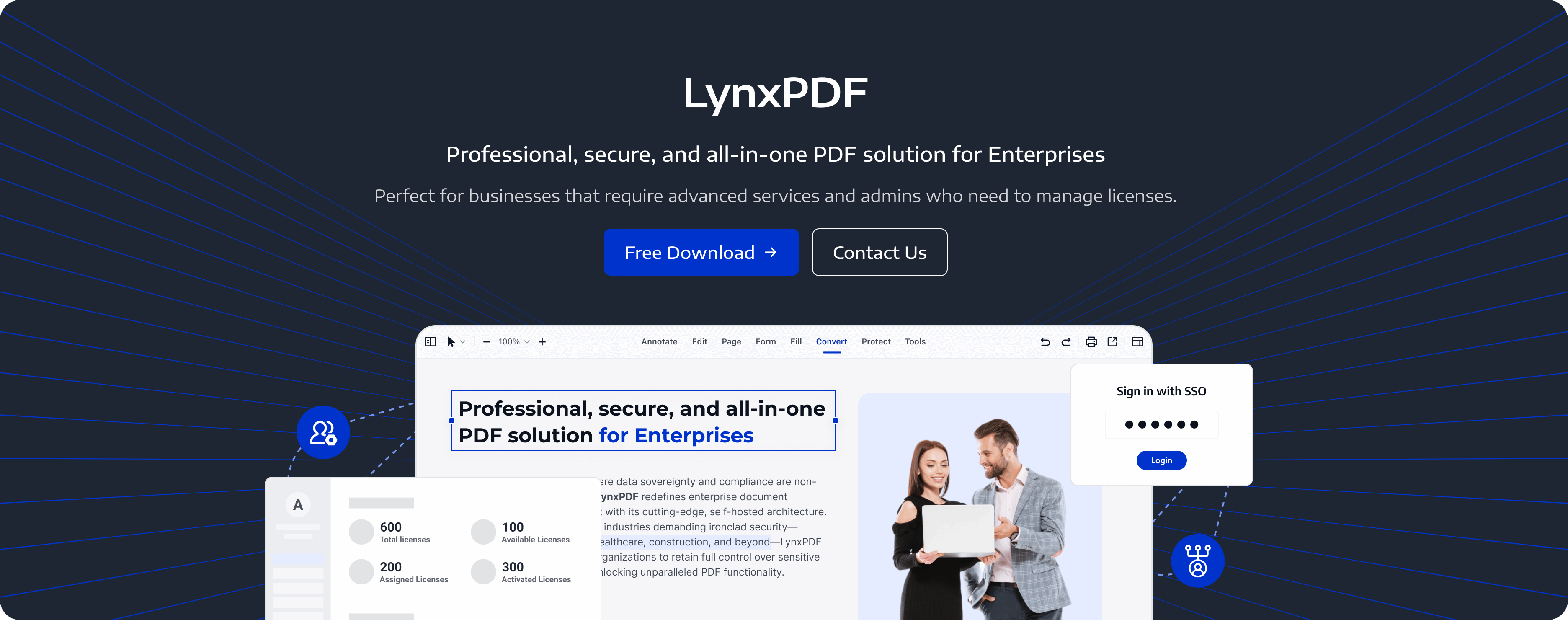
As enterprises grow, administrators need a clear process for adding employees and managing LynxPDF licenses. Admin Console brings user, team, and license management together.
Key Features:
-
Team Membership
Add or remove team members as staffing changes. -
License Assignments
Assign or revoke licenses for the intended employees. -
Device Changes
Unbind an old device when an employee needs to activate LynxPDF on a replacement device. -
Private Administration Service
Deploy Admin Console on private infrastructure. This deployment covers administration, not PDF storage, AI processing, or Web sharing.
Centralized administration helps IT keep license assignments and team membership up to date as the organization changes.
Use Cases for LynxPDF in Enterprises
LynxPDF offers editing, batch processing, and PDF protection tools in one application, supporting the document tasks employees perform each day.
-
Legal Departments
Annotate contracts, compare PDF copies, and redact sensitive content before sharing. -
Healthcare Organizations
Annotate records and use PDF passwords, encryption, and redaction in HIPAA-related document workflows. -
Finance Teams
Use OCR, conversion, and supported batch tools to prepare invoices and reports for further review. -
Engineering Teams
Review technical PDFs with comments and annotations, including real-time comments in LynxPDF for Web.
LynxPDF provides comprehensive support to ensure smooth deployment and continued efficiency. Whether through dedicated onboarding assistance or responsive customer service, businesses can rely on LynxPDF to address their needs every step of the way.
FAQ
How does LynxPDF support compliance requirements?
PDF passwords, encryption, permissions, and redaction support GDPR- and HIPAA-related document workflows. eSign provides audit reports for signing tasks.
How can administrators support a growing team?
Use Admin Console to maintain team membership and assign or revoke licenses as staffing changes.
What platforms are compatible with LynxPDF?
LynxPDF offers Windows, Mac, iOS, and Android apps, together with LynxPDF for Web.
Can I simplify recurring document tasks?
Yes. Use supported batch operations such as conversion, OCR, compression, encryption, and watermarking.
Does LynxPDF offer customer support?
Yes. Contact the LynxPDF team for product support and deployment assistance.


